



Quick Tips…
Is Your Keyboard in the Right Position?
Try these simple 2‑minute checks
A simple way to ease shoulder tension and support natural typing posture
When your keyboard sits too far, too high, or off‑centre, your shoulders and wrists often take on the strain without you noticing. These cues help you find a position that feels natural, balanced, and easier to maintain through the day.
Workora’s Take
Your keyboard should feel like it meets your hands where they already are — not where you have to reach. When it sits close, centred, and at a gentle angle that suits your body, your shoulders soften, your wrists settle, and typing feels easier throughout the day.
Quick Cues to Check Your Keyboard Position
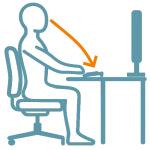
1. Notice where your hands naturally land on the keyboard.
If they settle without reaching or twisting, your shoulders and wrists can relax into a more comfortable position.
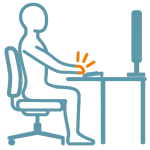
2. Let your hands rest in a natural, easy line.
A neutral hand position helps your wrists and shoulders stay supported without effort.

3. Notice if your shoulders feel relaxed.
If they start to lift or tighten, your keyboard may be too far away or sitting too high. Relaxed shoulders are a good sign your setup is supporting you.
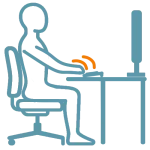
4. See if you can type without lifting or dropping your wrists.
A neutral wrist line helps your hands and shoulders stay at ease and makes typing feel more natural.
Quick Adjustments
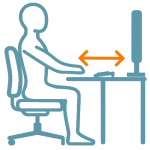
1. Bring the keyboard to your natural reach.
This helps your shoulders stay relaxed and reduces quiet forward leaning.
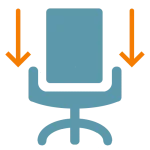
2. Lower your chair a touch if the keyboard feels too high.
A small shift helps your wrists settle into a natural, level line.
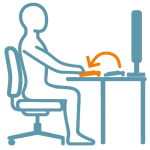
3. Bring the keyboard a little closer before adjusting anything else.
A closer keyboard reduces the pull to reach forward and helps your shoulders stay at ease.
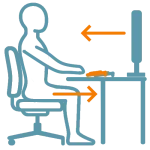
4. Adjust your setup so your wrists can stay in a natural line.
A level wrist position supports easier, more comfortable typing.
Why This Matters
Small shifts in keyboard position can ease tension through your shoulders, arms, and wrists.
When your setup meets your natural reach, it becomes easier to stay comfortable and supported throughout the day.
FAQ’s
If your shoulders tense, your arms reach forward, or your wrists start to lift, your keyboard may be sitting just outside your natural reach. A small shift can help your upper body settle and feel more supported.
Your keyboard should sit close enough that your arms can rest comfortably at your sides and your wrists can stay in a natural, level line. When the keyboard meets your natural reach, your shoulders, arms, and wrists can settle into a more relaxed, supported position.
Related Quick Tips
Quick Tips: Is your mouse sitting comfortably?