



Quick Tips…
Is Your Screen at the Right Distance?
Try these simple 2‑minute checks
A simple way to ease eye strain and support natural posture
When your screen sits at a distance that meets your eyes, everything feels easier. These cues help you find a distance that feels natural, comfortable, and supportive through the day.
Workora’s Take
Your screen should meet your eyes, not ask them to work harder — even small distance shifts can help your gaze feel softer and your posture more naturally supported.
Quick Cues to Check Your Screen Height

1. Notice how your eyes feel as you look at the screen.
If they soften easily, the distance is likely working for you. If they strain or narrow, the screen may be sitting a little too close.

2. See whether the screen feels too close or too far.
A comfortable distance lets your eyes relax and keeps your posture from subtly leaning in or pulling away.
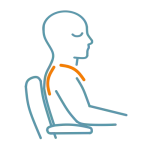
3. Notice if your shoulders feel relaxed.
If you’re leaning in to see the screen, it may be sitting a little too close. Relaxed shoulders are a good sign the distance is working for you.

4. See if you can view the screen without leaning in or pulling back.
A comfortable distance lets your eyes relax and helps your posture stay naturally at ease.
Quick Adjustments
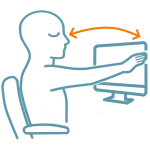
1. Try bringing your screen to about arm’s length.
Even a small shift can help your eyes relax and make viewing feel more natural and comfortable.
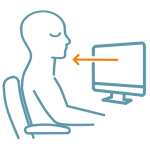
2. Bring the screen a little closer if you find yourself leaning in.
A small shift can help your eyes relax and keep your shoulders from drifting forward.
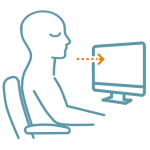
3. Bring the screen a touch farther away before adjusting anything else.
A little extra distance can ease the pull to lean in and help your shoulders stay relaxed.

4. Shift the screen back a little to give your eyes more space.
A small increase in distance can make viewing feel easier and help your posture stay relaxed.
Why This Matters
A small shift in screen distance can ease eye strain and support natural posture. When the screen meets your natural gaze, your eyes soften and your body no longer needs to lean in or pull away. It becomes easier to settle into a posture that feels comfortable through the day.
FAQ’s
Most people feel comfortable with the screen around arm’s length away, but your eyes are the best guide. If your gaze softens easily and you’re not leaning in, the distance is likely right for you.
Leaning in is often a sign the screen is sitting a little too close or too far for your eyes. A small distance adjustment usually helps your gaze relax and your posture settle naturally.
Related Quick Tips
Quick Tips: Is Your Screen at the Right Height?