



Quick Tips…
Is Your Screen At The Right Height?
Try these simple 2‑minute checks
A simple way to ease neck tension and support natural posture
If your screen isn’t at the right height, your neck and shoulders often take the strain before you realise what’s wrong. These cues help you find a height that supports your posture and keeps your upper body more at ease through the day.
Workora’s Take
Your screen should meet your body, not the other way around — even small height shifts can help your posture feel more naturally supported.
Quick Cues to Check Your Screen Height

1. Notice where your eyes naturally settle on the screen.
If they meet the top third, your neck can settle into an easy, relaxed position.
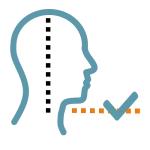
2. Let your chin feel softly level.
A level chin helps your neck stay neutral and supported without effort.

3. Notice if your shoulders feel relaxed.
If you’re leaning in, the screen may be too low or too far away. Relaxed shoulders are a good sign your setup is working for you.
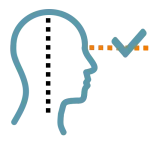
4. See if you can read without lifting or dropping your head.
A neutral head position keeps your neck at ease and and helps reading feel easy and natural.
Quick Adjustments

1. Try lifting your laptop or monitor just a little.
Even a small rise can bring the screen into your natural line of sight and make your neck feel more at ease.
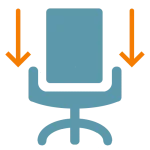
2. Lower your chair a touch if the screen feels high.
A subtle shift helps your eyes meet the screen comfortably and your neck stays at ease.
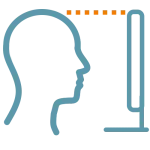
3. Bring the screen a little closer before changing the height.
A closer screen reduces the pull to lean in, helping your shoulders settle and relax.

4. Use a stand or a few books to gently raise the screen.
It brings the screen to a more natural height and lightens the load on your neck and shoulders.
Why This Matters
A small shift in screen height can ease neck and shoulder tension and help your whole setup feel more natural and supportive. When the screen meets your body, it becomes easier to settle into a posture that feels comfortable throughout the day.
FAQ’s
If you notice your chin lifting, your neck tightening, or your shoulders creeping upward, your screen may be sitting at a height your body is quietly working around. A small adjustment can help everything feel more natural and supported.
Your eyes should naturally land on the top third of your screen without tilting your head up or down. When the screen meets your natural line of sight, your neck and shoulders can settle into a more relaxed, comfortable position.
Related Quick Tips
Quick Tips: Is Your Screen at the Right Distance?